Social Media Image Sizes Cheat Sheet 2026

Every major social platform has its own pixel dimensions for a profile picture, a cover image and a post, and most of them have changed those dimensions at least once in the last few years without much announcement. The table below lists the current sizes for YouTube, Instagram, Facebook, LinkedIn, X, Pinterest, TikTok and WhatsApp, checked against each platform's own help pages on the date at the top of this page. Bookmark this page rather than the numbers themselves, since a platform can revise a size at any time.
The current sizes, by platform
| Platform | Image | Size (pixels) |
|---|---|---|
| YouTube | Thumbnail | 1280 x 720 |
| YouTube | Channel banner | 2560 x 1440 |
| YouTube | Profile picture | 800 x 800 |
| Square post | 1080 x 1080 | |
| Portrait post | 1080 x 1350 | |
| Landscape post | 1080 x 566 | |
| Story or Reel | 1080 x 1920 | |
| Profile picture | 320 x 320 | |
| Cover (desktop) | 820 x 312 | |
| Event cover | 1920 x 1005 | |
| Group cover | 1640 x 856 | |
| Post | 1200 x 630 | |
| Profile picture | 320 x 320 | |
| Personal banner | 1584 x 396 | |
| Company cover | 1128 x 191 | |
| Shared post | 1200 x 627 | |
| Profile picture | 400 x 400 | |
| X (Twitter) | Header | 1500 x 500 |
| X (Twitter) | Post | 1200 x 675 |
| X (Twitter) | Profile picture | 400 x 400 |
| Pin | 1000 x 1500 | |
| TikTok | Video cover | 1080 x 1920 |
| Profile picture | 640 x 640 |
Why these numbers keep changing
Platforms revise their recommended sizes as they redesign their own interfaces, add new features like Stories or Reels, or change how they crop and compress an uploaded image on their end. A size that was correct a year or two ago can quietly become slightly wrong, which usually shows up as an image being cropped in a way the person who uploaded it did not intend, rather than an outright error. This is also why a screenshot of a size chart from an old blog post is a common source of the wrong number: the chart was accurate when it was written, and nobody went back to update it. The sizes on this page are rechecked quarterly against each platform's own current help pages for exactly that reason.
The sizes that matter most for most people
If only remembering a handful of these, the profile picture sizes and the two most common post shapes cover most day to day posting: a square 1080 x 1080 for Instagram and LinkedIn, a 1200 pixel wide link style image for Facebook and LinkedIn posts, and each platform's own cover or banner size for a profile page. Story and Reel formats across Instagram and TikTok have converged on the same 1080 x 1920 vertical shape, which is worth knowing since a single vertical video cover or story graphic built at that size works across both platforms without needing separate versions, saving a second export for what is effectively the same shape.
Safe zones on cover and banner images
A cover or banner image is not shown at its full size on every device: YouTube's channel banner and Facebook's cover photo, in particular, both get cropped differently on desktop versus mobile, so content placed near the edges on one can be cut off on the other. A safe zone marks the area guaranteed to stay visible everywhere, and it matters most for a logo, a name, or any text on the banner. Keeping that content centred within the safe zone rather than spread across the full width avoids a banner that looks fine on desktop and cuts off a name on a phone.
Aspect ratio matters more than the exact pixel count
The precise pixel numbers matter less than the underlying ratio between width and height. A 1080 x 1080 Instagram post and a 2160 x 2160 version of the same image are both perfectly square, and either uploads correctly, since Instagram displays it at whatever size its own interface needs regardless of the exact pixel count you send, as long as the shape is right. Where sizing genuinely goes wrong is uploading the wrong ratio entirely, a landscape photo forced into a square post slot, which forces the platform's own automatic crop to decide what to keep, usually cutting off part of the image nobody intended to lose.
That said, uploading at roughly the platform's own recommended pixel size rather than something far larger or far smaller avoids two separate problems: a much larger image than needed just means extra upload time and file size for no visible benefit, since the platform compresses it down anyway, while a much smaller image than needed can come out visibly soft once the platform displays it at a size larger than the source actually supports.
Sizes for a video thumbnail versus a video cover
YouTube's thumbnail and TikTok's video cover serve the same basic purpose, a still image representing a video before someone presses play, but at very different shapes: YouTube's 1280 x 720 is a wide 16:9 frame matching the video player itself, while TikTok's 1080 x 1920 is the same tall 9:16 shape as the video content it sits in front of. Preparing a cover image for one platform and reusing it directly on the other, without reframing, is one of the more common social media sizing mistakes, since the two shapes are effectively rotated versions of each other rather than close enough to swap freely.
One tool, every platform
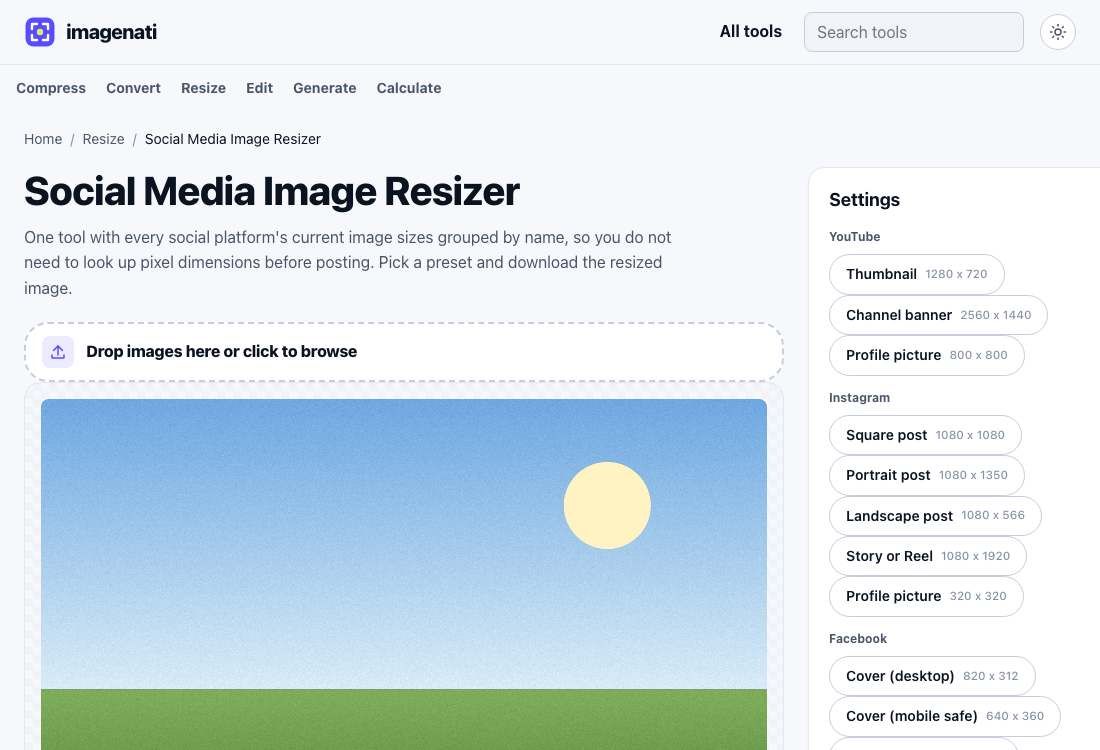
Rather than looking up each platform's current size separately, the Social Media Image Resizer keeps this whole list in one place, grouped by platform, so switching between a YouTube thumbnail and an Instagram Story is a matter of picking a different preset rather than opening a different tab to find the number. The dedicated YouTube, Instagram, Facebook, LinkedIn and X pages cover the same presets individually for anyone who only ever needs one platform's sizes and prefers a shorter list.