Passport Photo Size by Country: The Complete Table

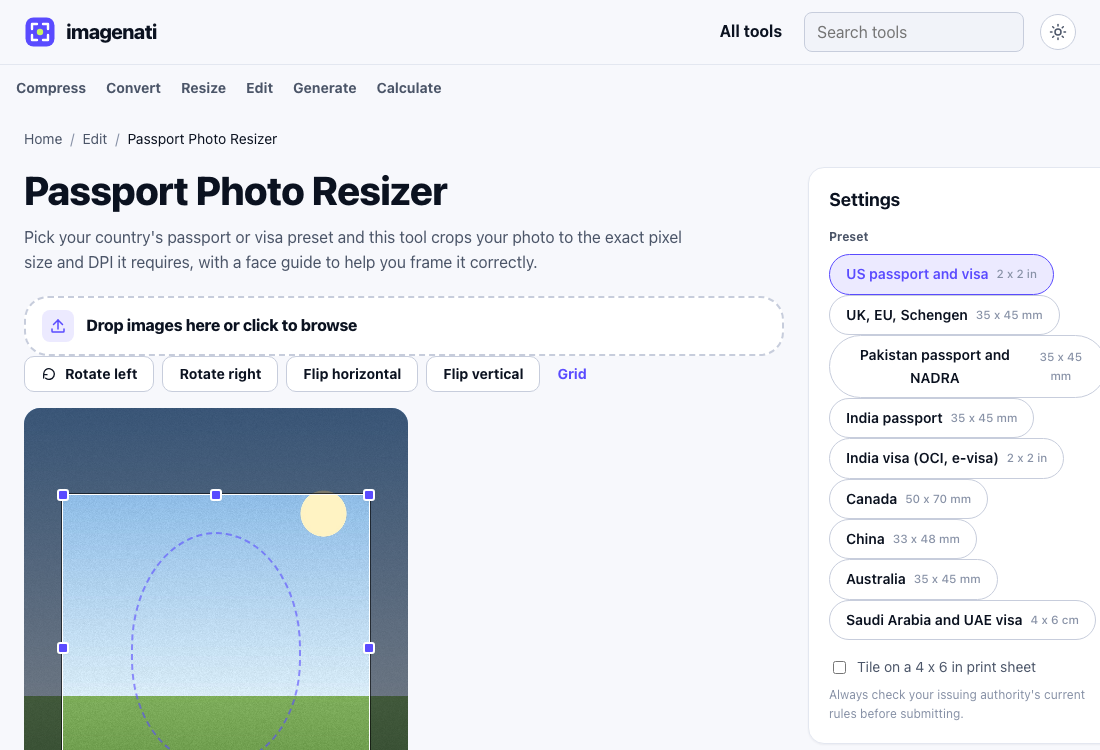
Passport and visa photo requirements are usually given in physical size, 2 x 2 inches or 35 x 45 millimetres, plus a DPI figure, which most people have no easy way to convert into the pixel dimensions an upload form actually checks. The table below lists both the physical size and the exact pixel size at 300 DPI, the standard passport photo resolution, for several major countries. Requirements do change, so treat this as a strong starting point and confirm the current rule with the issuing authority before submitting a photo anywhere official.
Passport and visa photo sizes
| Country or region | Physical size | Pixels at 300 DPI |
|---|---|---|
| US passport and visa | 2 x 2 in | 600 x 600 |
| UK, EU, Schengen area | 35 x 45 mm | 413 x 531 |
| Pakistan passport and NADRA | 35 x 45 mm | 413 x 531 |
| India passport | 35 x 45 mm | 413 x 531 |
| India visa (OCI, e-visa) | 2 x 2 in | 600 x 600 |
| Canada | 50 x 70 mm | 591 x 827 |
| China | 33 x 48 mm | 390 x 567 |
| Australia | 35 x 45 mm | 413 x 531 |
| Saudi Arabia and UAE visa | 4 x 6 cm | 472 x 709 |
Several countries land on the same 35 x 45 mm size, which is close to an international standard for passport and ID photos even where the exact wording of the rule differs slightly between authorities. The US and Indian visa (OCI, e-visa) both use a 2 x 2 inch square instead, which is a meaningfully different shape, not just a different size, so a photo cropped for one will not fit the other without recropping.
Why the DPI number matters as much as the pixel size
A photo can have the exact right pixel dimensions and still get rejected if the file's own DPI metadata does not say 300. Many photo printing services and some online application portals read the DPI value stored inside the file itself to work out what physical size it represents, not just the raw pixel count, and a file tagged with the wrong DPI, or no DPI at all, can print or display at the wrong physical size even though the pixel dimensions are correct. This is why a passport photo tool needs to write the DPI into the file directly, not only crop to the right pixel size.
Getting the framing right, not just the size
Most passport and visa rules also specify how the head should be framed within that pixel size, typically how much of the frame the head should fill and how centred it needs to be, not just the outer dimensions. A face guide overlay marking roughly where the top of the head, the eyes and the chin should sit makes this easier to judge than trying to eyeball it against a plain rectangle. Getting the size exactly right but the framing wrong is one of the more common reasons a passport photo gets rejected even when the file dimensions technically match what was asked for.
What a size tool cannot fix for you
Resizing and cropping solve the dimensions and DPI, but most passport photo rules also cover things a crop tool has no control over: a plain, usually white or light grey background with no shadows or patterns, a neutral expression with the mouth closed and eyes open, no glasses in many current rules, no head covering except for religious or medical reasons, and a photo taken within the last six months. None of these are fixable after the fact by resizing; they need to be right in the original photo before it goes anywhere near a cropping tool, since no amount of correct pixel dimensions rescues a photo taken against a patterned wall or wearing sunglasses.
A plain wall, natural window light rather than a harsh flash, and a phone held at eye level a couple of steps back from the subject covers most of what a passport photo needs before any editing starts. From there, the size and DPI work is exactly what a passport photo tool exists to handle.
Using the wrong preset by mistake
Two countries sharing the same 35 x 45 mm physical size does not always mean a photo prepared for one will be accepted for the other, since background colour rules, head size within the frame, and other details can still differ even when the outer pixel dimensions match exactly. The pixel size gets a photo past an upload form's technical size check; it does not guarantee every other rule that country's passport office enforces is also satisfied. When two countries are involved, such as applying for a passport in one country and a visa for another, prepare the photo separately for each using that specific country's own preset rather than assuming one photo covers both.
Printing more than one copy
Some passport and visa applications, and most photo booths abroad, ask for a physical printed photo rather than a digital upload, and printing several individual passport photos one at a time wastes paper and photo lab fees. A common solution is tiling several copies of the same passport photo onto a single 4 x 6 inch print, the standard size a photo lab or a home printer handles as one print, which turns one trip to a printer into enough physical copies for several applications or backups at once.
Always verify before submitting
Passport and visa photo rules change, and different consulates or offices sometimes enforce their own small variations on the national standard, particularly around background colour, recency of the photo, or acceptable facial expression. Treat the table above as the pixel and DPI conversion of each country's published size, checked at the date on this page, and always confirm the current requirement directly with the passport office, consulate or visa portal before submitting a photo somewhere it genuinely cannot be resubmitted easily.